


ChatGPT Ads Just Launched, Here Is a First Look at the Platform.
Anyone telling you they have a proven system for running ChatGPT ads is lying to you. This new kind of PPC Advertising is a brand new space that is in its complete infancy
OpenAI released its ad platform to the public on May 5, 2026. For the first 20 days, you could not set a location target on your campaigns. Not limited location targeting. No location targeting. On May 22nd they opened up location targeting making this our chance to start bring local clients into the platform.
OpenAI has entered an ad game that Google and Meta have been running for 20 years. To say they have some catching up to do would be an understatement.
That said, we spent time last week digging through the platform. Here is what you are actually working with.

What the Platform Looks Like Right Now
The current interface has four tabs: Campaigns, Tools, Billing, and Settings.
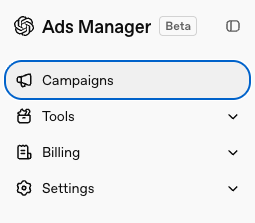
Campaigns is where you create and manage your ads. If you have run campaigns on Facebook or Google, the architecture will feel familiar: three levels, campaigns, ad groups, and ads. Nothing surprising here.
Tools has two submenus.
Change History is a simple table showing what changes have been made in the account. Conversions is where things get more interesting, and more limited. Under Conversions, there are three sections:
- Data Source — where you connect website pixels
- Conversion Events — where you define the custom events that flow into the pixel
- Event Stream — where you verify that events are actually firing from your site
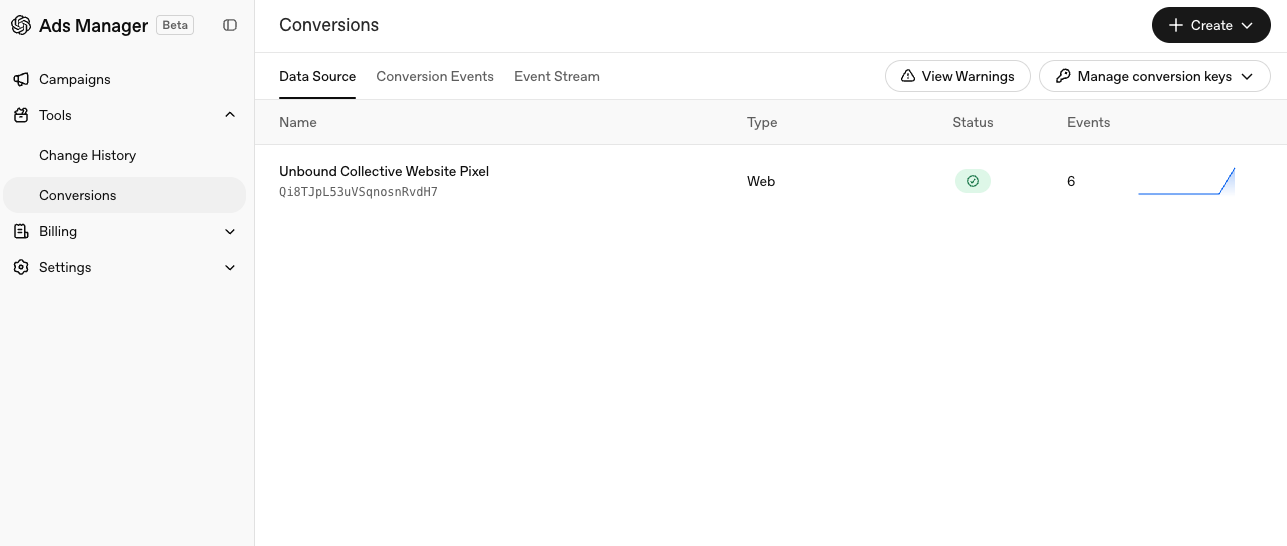
More on this in a moment.
Billing covers the standard breakdown: Overview, Activity, Documents, and Settings. Nothing to flag here.
Settings is the sparsest settings tab we have seen on any major ad platform. You can manage your account name, your time zone, and your logo. You can add users. That is it.
Conversion Tracking
The most technically involved piece of the platform right now is conversion tracking. OpenAI has published a Conversions API, the developer documentation covers it in reasonable detail, and they currently support 10 standard events plus one custom event option.
Here is the catch: when you go to create a new campaign, the conversion optimization option is grayed out. It says "Coming soon." Your only current options are "Optimize for impressions" and "Optimize for clicks."
You can drive traffic. You cannot yet tell the platform what that traffic should do when it gets there.
That said, the tracking infrastructure is worth building now. The pixel setup is similar enough to other platforms that a developer who knows Google Tag Manager can handle it without too much trouble. OpenAI has also released a Conversions API, and we would recommend setting that up from the start. In some cases, first-party data tracking accounts for up to 40% more conversions than JavaScript pixels alone.
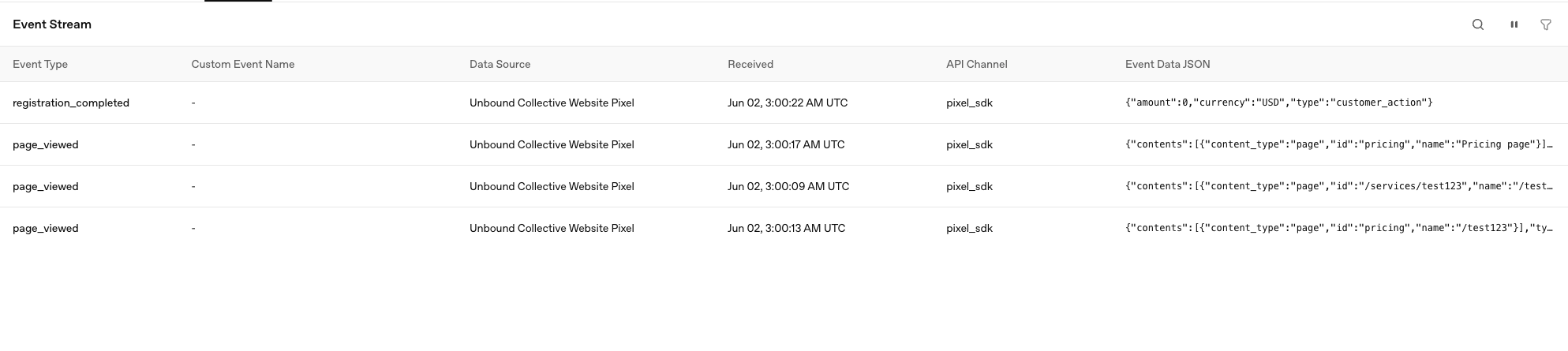
One thing worth knowing before you start: OpenAI is stricter about event data shape than Google or Facebook. Those platforms are forgiving if your parameters are slightly off. OpenAI drops the event call entirely if the data does not match the expected format. After some preliminary testing, we found events that appeared to fire but never registered because the structure was slightly off. Use the Event Stream section to confirm events are landing before you assume they are.
We plan to go deeper on the full conversion tracking setup in a future post. For now, the short version: you can build it, but you cannot use it yet for what matters.
Here is what matters when you do build it: every conversion signal you send to an AI platform teaches it what a good outcome looks like. If your conversion event is "user landed on the thank-you page" or "user clicked the button," you are teaching the algorithm to find more people who land on thank-you pages. That is not the same as finding people who actually buy.
As ad platforms push further into AI optimization, on-site vanity conversions become a liability. The shift to offline conversions is already necessary on Google and Meta, and OpenAI will follow. Connecting your CRM directly to the Conversions API, so that actual closed revenue flows back into the platform, is going to be a requirement, not a nice-to-have. Give the AI the right signal and it finds more buyers. Give it a proxy and it finds more clicks.
Below is a first look at the pixel scripts
Pixel Script
<script>
  (function (w, d, s, u) {
    if (w.oaiq) return;
    var q = function () {
      q.q.push(arguments);
    };
    q.q = [];
    w.oaiq = q;
    var js = d.createElement(s);
    js.async = true;
    js.src = u;
    var f = d.getElementsByTagName(s)[0];
    f.parentNode.insertBefore(js, f);
  })(window, document, 'script', 'https://bzrcdn.openai.com/sdk/oaiq.min.js');

  oaiq('init', {
    pixelId: '<YOUR-PIXEL-ID>',
  });
</script>
Event Measurement Code
oaiq("measure", "page_viewed", {
  type: "contents",
  contents: [
    {
      id: "pricing",
      name: "Pricing page",
      content_type: "page",
    },
  ],
});

oaiq("measure", "contents_viewed", {
  type: "contents",
  contents: [
    {
      id: "sku_123",
      name: "Starter bundle",
      content_type: "product",
    },
  ],
});
Custom Events
This one is rather confusing to me.
oaiq(
  "measure",
  "custom",
  {
    type: "custom",
    amount: 12999,
    currency: "USD",
    plan_id: "enterprise_annual",
  },
  {
    custom_event_name: "quote_requested",
    event_id: "quote_req_123",
  }
);
Where This Is Going
OpenAI has also published an Advertiser API. It is open, and it allows you to connect, create, update, and delete campaigns programmatically. The current platform is entirely a graphical interface. But an open API combined with OpenAI's own development ecosystem points toward something obvious: an AI coding agent that connects directly to the platform and manages campaigns on your behalf.
We expect an MCP or CLI tool at some point. When it arrives, the barrier to managing OpenAI campaigns drops considerably for teams already running AI in their workflows.
Don't optimize towards the wrong events or you will get more of those events
Connecting your CRM directly to the Conversions API is going to be a requirement, not a nice-to-have.
The Bottom Line
The door opened 30 days ago. Nobody has a system yet. Anyone presenting one is describing what they hope will work, not what has been proven.
But early access means something. The platform is buildable. The tracking infrastructure is worth setting up now. And the teams that understand the architecture before conversion optimization goes live will be ahead of the ones who wait to see how it shakes out.
We are not waiting.


Read More
