


How We Set Up ChatGPT Conversion Tracking.
The OpenAI pixel takes about five minutes to install. What comes after that takes a little longer to sort out.
In our first look at the platform a few weeks ago, we covered the basics of conversion tracking and said it was worth building the infrastructure now even though conversion optimization was not live yet. We still think that. Going back in and actually wiring it up for a client surfaced some things we did not expect, and a few things the docs do not tell you.
This guide is specifically for browser events. We will be exploring the Conversion API in the coming weeks.

Getting the Pixel on Your Site
The base install is a script tag in the site header. Drop it on every page, swap in your pixel ID from the OpenAI Ads dashboard, and the pixel is live.
(function (w, d, s, u) {
  if (w.oaiq) return;
  var q = function () {
    q.q.push(arguments);
  };
  q.q = [];
  w.oaiq = q;
  var js = d.createElement(s);
  js.async = true;
  js.src = u;
  var f = d.getElementsByTagName(s)[0];
  f.parentNode.insertBefore(js, f);
})(window, document, 'script', 'https://bzrcdn.openai.com/sdk/oaiq.min.js');
oaiq('init', { pixelId: 'YOUR-PIXEL-ID', debug: true });
If you are using Google Tag Manager, this goes in a Custom HTML tag set to fire on All Pages. That is the whole base install.
What it does not do after that: fire anything.
Open AI Has No Default Events, Only Custom
This part actually surprised me a little bit.
Meta fires a PageView event the moment the Facebook pixel loads. Google fires a page_view hit automatically. OpenAI fires nothing until you explicitly call oaiq("measure", ...). Install the pixel today, walk away, and the Event Stream in your dashboard will be empty tomorrow.
I understand the reasoning to a point. Explicit calls mean you control what gets tracked. But if you are coming from Meta, where the pixel starts collecting audience data the moment it goes live, this is a meaningful difference. There is no "people who visited your services page" audience building in the background. No site visitor pool to seed a lookalike from. No signal at all until you configure it yourself.
That is something OpenAI should probably address. Running ads to people who look like your existing customers matters on every other major platform. It starts with page view data. The earlier you have it, the more the platform has to work with.
The complicated part is that OpenAI is an AI company that has spent years positioning itself around responsible data practices. A pixel that auto-fires on every page load and starts profiling site visitors from day one does not sit comfortably with that. Advertising and privacy have never mixed well, and in the context of an AI company, that tension is harder to hand-wave away. I do not think they mix at all.
So for now, if you want page view data flowing into the platform, you have to wire it up yourself.
oaiq("measure", "page_viewed", {
  type: "contents",
  contents: [{
    id: window.location.pathname,
    name: document.title,
    content_type: "page"
  }]
});
Two notes on the contents structure here.
This is an e-commerce data model. It was built for product catalog events, SKUs, cart items, quantities. We are passing page metadata into a schema that was designed for retail, which is a little awkward. The dashboard does not currently let you filter or report by content id, so you are sending structured data into a field you cannot see broken down anywhere. Pass the URL path and page title, satisfy the format, and move on. It is a little messy for service businesses, and honestly this was a recurring theme the further we got into the setup. The whole platform skews toward e-commerce. The event names, the data schema, the conversion types. If you are booking appointments instead of selling products, you are doing some fitting.
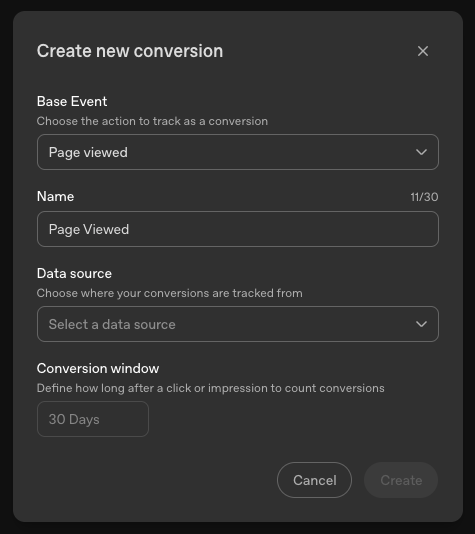
Secondly, data.type is required for all events. When you submit without it, the server actually spits back an error telling you exactly what you need to add to your event. I find that strange, seems like it would have been easy for them to hard code those data types because they are not changeable in any way. You can see an example below of the error message.
It Looked Set Up. It Was Not Working.
With the pixel installed, the next step is your conversion events. For us that meant firing on booking confirmation via a GTM script that listens to the scheduling software. We had the tag in place. Nothing was landing in the dashboard.
The problem was timing. The pixel SDK loads asynchronously. When the booking software fires an event to the dataLayer and your GTM tag responds immediately, oaiq() may not be available yet. The call fails with no error in the dashboard and nothing in the Event Stream.
The fix was to check whether oaiq is available before calling it, and if it is not, wait 250 milliseconds and try again. We do this for up to 3 seconds before giving up. We had a working Meta script with that exact pattern and a broken OAI script without it, sitting next to each other in GTM. Once we copied over the setup the ChatGPT Pixel started working for us more reliably.
(function () {
  var DEBUG = true;
  var LOG_PREFIX = '[OAI Tracker]';
  var OAIQ_RETRY_MS = 250;
  var OAIQ_RETRY_MAX = 12;

  function log() {
    if (!DEBUG || !window.console) return;
    try {
      var args = Array.prototype.slice.call(arguments);
      args.unshift(LOG_PREFIX);
      console.log.apply(console, args);
    } catch (e) {}
  }
  function sendOaiq(attempt) {
    attempt = attempt || 1;
    if (typeof window.oaiq === 'function') {
      window.oaiq('measure', 'appointment_scheduled', { type: 'customer_action' });
      log('oaiq "appointment_scheduled" sent');
      return;
    }
    if (attempt >= OAIQ_RETRY_MAX) {
      log('oaiq not available after retries. Dropping event.');
      return;
    }
    setTimeout(function () {
      sendOaiq(attempt + 1);
    }, OAIQ_RETRY_MS);
  }
  function handleDlPush(obj) {
    if (!obj || typeof obj !== 'object') return;
    if (obj.event) log('dataLayer event pushed:', obj.event);
    if (obj.event === 'BookingBooked') sendOaiq();
  }
  window.dataLayer = window.dataLayer || [];
  for (var i = 0; i < window.dataLayer.length; i++) {
    handleDlPush(window.dataLayer[i]);
  }
  var originalPush = window.dataLayer.push;
  window.dataLayer.push = function () {
    for (var i = 0; i < arguments.length; i++) {
      handleDlPush(arguments[i]);
    }
    return originalPush.apply(window.dataLayer, arguments);
  };
})();
Feel free to grab this and drop it into your AI of choice to modify it for you business. It won't work for anyone else's site as ours has a parent script specifically designed for our site. However an LLM should be able to edit it for you and get it working.
What OpenAI Will and Won't Accept
OpenAI has a strict allowlist of 11 event names. Pass anything outside that list and the event is dropped with no visible error in the dashboard. The only way to see it fail is to have debug: true in your pixel init and watch the browser console:
[oaiq] validation failed; event dropped{command: 'measure', issues: ['eventProps.type should be "customer_action"'], eventName: 'appointment_scheduled'}Every event name also requires a specific value for the type field. The wrong type drops the event the same way. Meta and Google are forgiving about this kind of thing. OpenAI is not. We found this out before we had debug mode turned on, which meant staring at an empty Event Stream trying to figure out what was wrong. Turn on debug mode first, verify events are landing in the console, then check the dashboard.

Choosing the Right Event
For booking conversions on a service site we use the standard appointment_scheduled event:
oaiq("measure", "appointment_scheduled", { type: "customer_action" });One thing worth knowing: you can only have one of each standard event created as a conversion. You cannot set page view events on different pages on your site or with parameters as custom conversions like you can with Facebook and Google. If you need to distinguish between multiple, make the GTM script fire a custom event with a distinct name. If you only have one custom conversion, the standard event is cleaner.

Debugging ChatGPT Conversion Tracking
We had a few issues with our events firing correctly the first time. We always build console logging into our tracking scripts so that we can see when something is firing and when it is not. As you build this out, tell your LLM to add debugging events into the log so that you can trace errors and find out why certain things aren't working.
The Bottom Line
Honestly, the platform was not built with service businesses in mind. The event schema is retail, the data model is e-commerce, and nothing fires automatically the way you would expect coming from Meta or Google. You are doing a fair amount of adapting.
That said, it does work. The pixel fires, the events land, and the data is there for when conversion optimization goes live. The setup just requires more care than the docs suggest, and the places it can break quietly are not ones you would find without some trial and error.
Build it correctly now. There is no benefit to retrofitting tracking data after the platform starts optimizing.


Read More
